Domino
One single push
One push to knock them all down. First, rearrange them with a limited number of swaps.
🧩 Puzzles👆 Tap📺 TVFree · no ads
How to play
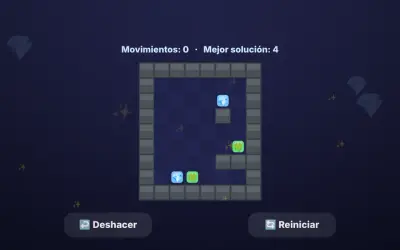
You have a single push to knock down every domino (except the red ones ✋, which never fall). First you can rearrange: drag a domino to another slot to swap them (you have a limited number of swaps). Then tap a domino and choose ◀ or ▶ to push it. Blue ones ↔ fall both ways and green ones ⟳ roll across gaps to the next one.
With the TV remote
🎮 ◀ ▶ move the cursor · OK on a domino ✋ and OK on another slot to swap them · OK twice on the same domino shows ◀ ▶: move onto an arrow and press OK to push.
Game details
- Collection
- Lost Arcade
- Category
- 🧩 Puzzles
- Controls
- Tap
- Levels
- 100 levels, difficulty spread from easy to hard · easy, normal and hard modes
- Lives
- 3
- TV remote
- Yes, with a cursor (D-pad + OK)
- Players
- 1 (touch) · 1–4 taking turns (TV)
- Languages
- Spanish, English
- Platforms
- Browser (phone, tablet, PC), Android TV, Fire TV
- Price
- Free, no ads
- Played (everyone)
- 2 min · 2 games · 1 players
- Favourite
- ❤️ 1 person
- Inspired by
- Pushover (Ocean, 1992)